Agent Optimization Pipeline
Most teams build an agent, eyeball a few outputs, tweak the prompt, and repeat. That works for a while, but it breaks down once the agent handles dozens of scenarios and "good enough" stops being good enough. You can't systematically improve what you can't systematically measure.
A generic "is this relevant?" check can't tell whether a baseball analysis included sample sizes, or whether a financial summary cited the right time period. You need evaluation criteria written for your domain. Even then, those criteria will disagree with your experts on edge cases unless you calibrate them. And hand-editing a system prompt based on a few failures doesn't scale: a fix for one scenario often breaks another.
This cookbook builds a tighter loop: write domain-specific evaluation criteria, calibrate them against expert opinions, then let an optimizer search for better prompts using those criteria as the objective. You can re-run the whole thing whenever your domain changes or your quality bar shifts.
What You'll Build
The example agent in this cookbook is a baseball hitting analysis assistant. It has tools to look up pitcher tendencies and batter-vs-pitcher matchup history, and it uses those tools to give actionable scouting recommendations. A coach asks "how does Kershaw attack righties in two-strike counts?" and the agent should pull real pitch data, not guess.
This cookbook walks through four stages of building a reliable evaluation and optimization pipeline for that agent:
- A custom judge that knows your domain. You define what "good" looks like (pass/fail), so evaluation catches the things that actually matter to your users.
- Expert calibration of the judge. Domain experts review a sample of outputs and score them. The judge learns from those scores so it stops disagreeing with your team on edge cases.
- Automated prompt optimization. Instead of hand-editing the agent's system prompt, an optimizer tries variations and picks the one that passes the most evaluations.
- A before/after comparison of the baseline and optimized prompts on held-out questions, so you can see exactly how much the optimized prompt helps.
The baseball agent is just the running example. The same approach works for any agent where you have domain experts and want to systematically improve quality.
Prerequisites
1. Set your API key.
This cookbook uses OpenAI models, but MLflow supports other providers too (Anthropic, Databricks, etc.).
export OPENAI_API_KEY="your-key"
2. Install dependencies and start a local MLflow tracking server.
The server stores your traces, evaluation results, and prompt versions.
With uv (recommended):
uv pip install openai langgraph langchain-openai
uvx --from "mlflow[genai]" mlflow server --host 127.0.0.1 --port 5000
With pip:
pip install "mlflow[genai]" openai langgraph langchain-openai
mlflow server --host 127.0.0.1 --port 5000
Step 1: Build the Agent and Register the Prompt
First, set up a LangGraph agent with some domain tools and connect it to MLflow. Calling mlflow.langchain.autolog() tells MLflow to automatically record a trace every time the agent runs, so you get full visibility into tool calls, LLM responses, and latency without adding any manual instrumentation.
import mlflow
from langgraph.prebuilt import create_react_agent
from langchain_openai import ChatOpenAI
from langchain_core.tools import tool

# Point at the local MLflow server and create an experiment
# to group all the traces, evaluations, and prompts together
mlflow.set_tracking_uri("http://127.0.0.1:5000")
mlflow.set_experiment("agent-alignment-pipeline")

# Turn on automatic tracing for LangChain/LangGraph.
# Every agent.invoke() call will now produce an MLflow trace.
mlflow.langchain.autolog()


@tool
def get_pitcher_tendency(
    pitcher_id: int, batter_hand: str, count: str
) -> str:
    """Look up a pitcher's pitch usage by count and batter handedness."""
    # In production, this would query your database
    return (
        f"Pitcher {pitcher_id} vs {batter_hand}HB in {count}: "
        f"Fastball 45%, Slider 30%, Changeup 25% (N=847)"
    )


@tool
def get_matchup_history(
    batter_id: int, pitcher_id: int
) -> str:
    """Get head-to-head history between a batter and pitcher."""
    return (
        f"Batter {batter_id} vs Pitcher {pitcher_id}: "
        f"12-for-38 (.316), 2 HR, 5 K, 3 BB"
    )


SYSTEM_PROMPT_V1 = (
    "You are a baseball hitting analysis assistant. "
    "Use the available tools to answer questions about "
    "pitcher tendencies, matchup history, and hitting "
    "strategy. Provide actionable recommendations."
)

llm = ChatOpenAI(model="gpt-5.4-mini")
tools = [get_pitcher_tendency, get_matchup_history]
agent = create_react_agent(
    model=llm, tools=tools, prompt=SYSTEM_PROMPT_V1
)
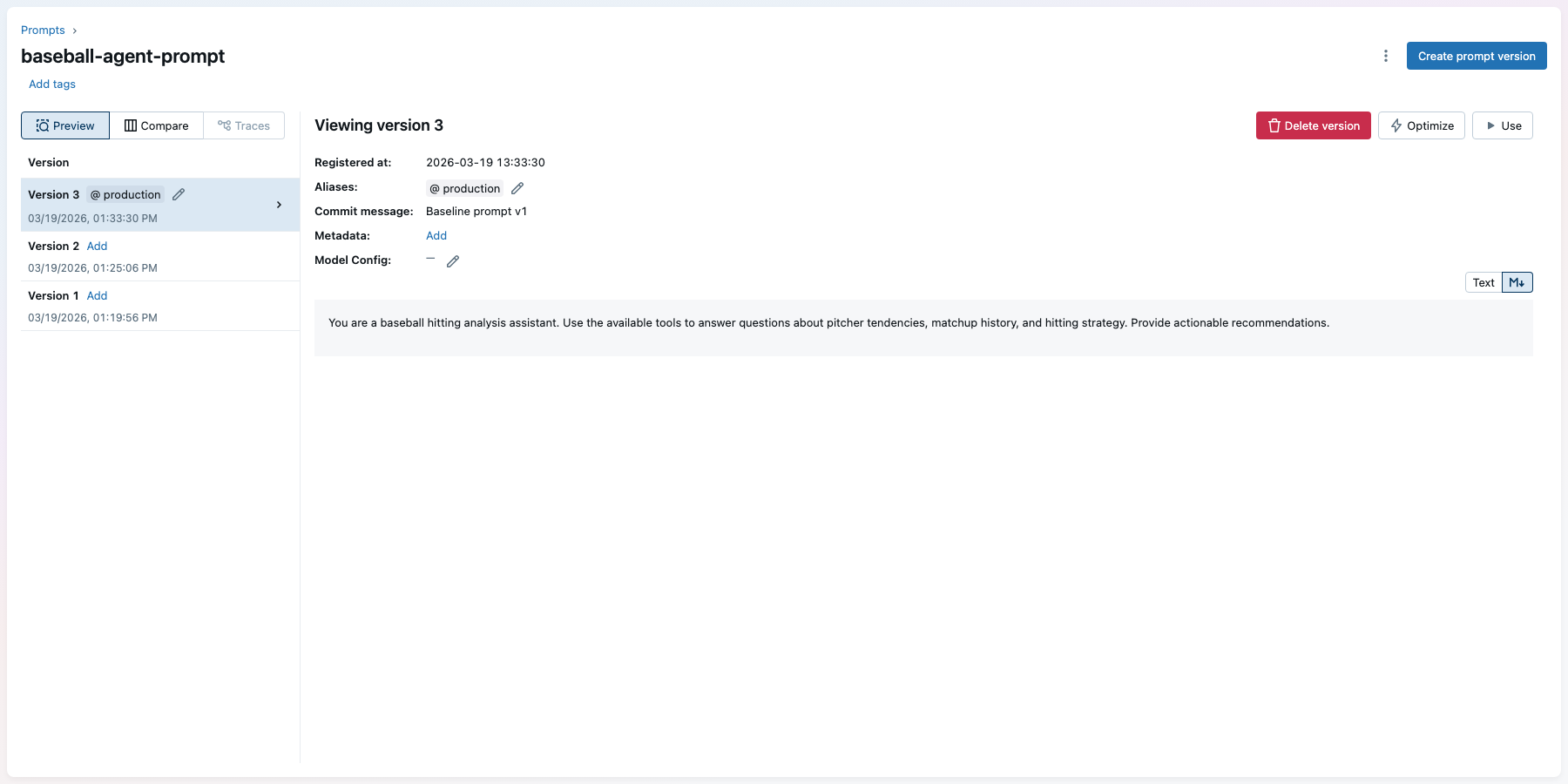
Next, store the system prompt in MLflow's Prompt Registry. Every time you register a new version of the prompt, MLflow keeps the previous versions around so you can compare changes and roll back if needed. The "production" alias is a stable name your application code can load without hardcoding a version number.
# Register the baseline prompt as version 1
prompt = mlflow.genai.register_prompt(
    name="baseball-agent-prompt",
    template=SYSTEM_PROMPT_V1,
    commit_message="Baseline prompt v1",
)

# Point the "production" alias at this version.
# When we have a better prompt, we'll move this alias
# to the new version without changing application code.
mlflow.genai.set_prompt_alias(
    name="baseball-agent-prompt",
    alias="production",
    version=prompt.version,
)
print(f"Registered prompt v{prompt.version}")
You can see the registered prompt in the MLflow UI under Prompts:
Step 2: Create a Judge for Your Domain
Now define what "good" means for your specific domain. make_judge creates an LLM-based judge that reads the agent's input and output, then scores it pass/fail based on the instructions you provide. This is where you encode your domain expertise: what should the agent always include? What counts as a failure?
MLflow stores this judge in the experiment, so you can reuse it across evaluation runs and share it with your team.
from mlflow.genai.judges import make_judge

# The instructions tell the judge exactly what to look for.
# These are specific to baseball analysis, but you'd write
# your own criteria for your domain.
baseball_judge = make_judge(
    name="baseball_analysis",
    instructions=(
        "Given the user's question in {{ inputs }} and the "
        "agent's response in {{ outputs }}, evaluate whether "
        "the response appropriately analyzes the data and "
        "provides an actionable recommendation for the batter "
        "or coaching staff.\n\n"
        "Use {{ expectations }} for reference if provided.\n\n"
        "Pass if the response uses the correct tools, cites "
        "relevant data with sample sizes, and gives a clear "
        "actionable recommendation. Fail if data is missing, "
        "incorrect, or the recommendation is vague."
    ),
    model="openai:/gpt-5.4",
    feedback_value_type=bool,
)

# Save the judge to the experiment so it persists
# across sessions and can be loaded by name later
baseball_judge.register(
    experiment_id=mlflow.get_experiment_by_name(
        "agent-alignment-pipeline"
    ).experiment_id
)
Step 3: Run Baseline Evaluation
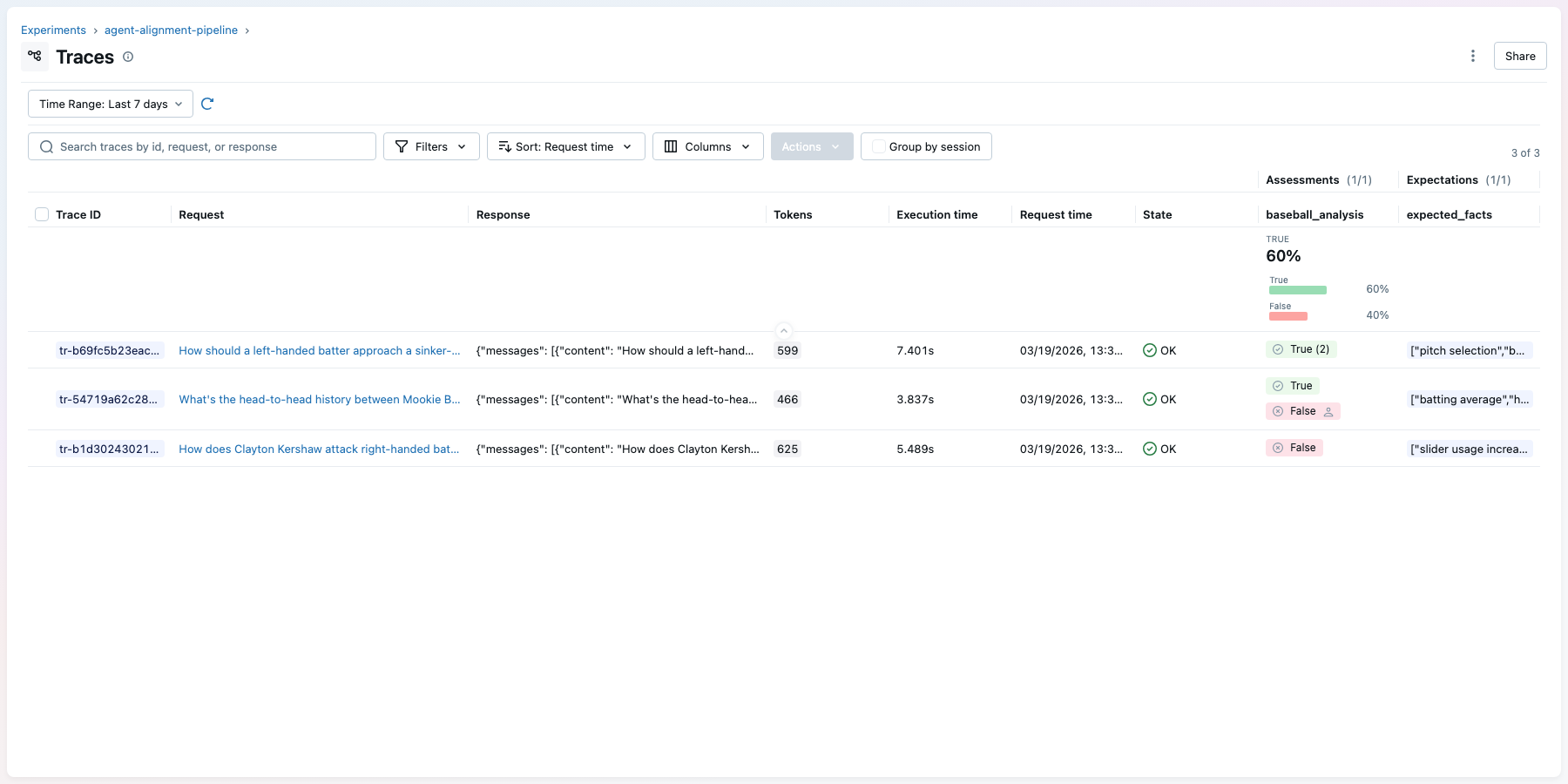
Before you can improve the agent, you need to know where it stands today. mlflow.genai.evaluate() runs the agent on every question in your dataset, passes each output through the judge, and records the results as an MLflow run with traces. You can browse individual traces in the MLflow UI to see exactly which questions the agent got wrong and why.
# Each row is a question for the agent plus optional
# expectations the judge can check against
eval_data = [
    {
        "inputs": {
            "question": (
                "How does Clayton Kershaw attack right-handed "
                "batters in two-strike counts?"
            )
        },
        "expectations": {
            "expected_facts": [
                "slider usage increases in two-strike counts",
                "include sample size",
            ]
        },
    },
    {
        "inputs": {
            "question": (
                "What's the head-to-head history between "
                "Mookie Betts and Max Scherzer?"
            )
        },
        "expectations": {
            "expected_facts": [
                "batting average",
                "home runs",
                "strikeouts",
            ]
        },
    },
    # Add 15-30 more questions covering your domain
]


# Wrap the agent so evaluate() can call it with each question
def predict_fn(question: str) -> str:
    result = agent.invoke(
        {"messages": [{"role": "user", "content": question}]}
    )
    return result["messages"][-1].content


# Run evaluation. This calls the agent on every row,
# scores each output with the judge, and logs everything
# as traces in the MLflow experiment.
baseline_results = mlflow.genai.evaluate(
    data=eval_data,
    predict_fn=predict_fn,
    scorers=[baseball_judge],
)
print(baseline_results.metrics)
# {'baseball_analysis/pass_rate': 0.4}
Tag the traces so you can find them later for expert labeling:
experiment_id = mlflow.get_experiment_by_name(
    "agent-alignment-pipeline"
).experiment_id

# Mark successful traces so we can query them in the next step
df = baseline_results.result_df
for trace_id in df.loc[df["state"] == "OK", "trace_id"]:
    mlflow.set_trace_tag(
        trace_id=trace_id, key="eval", value="complete"
    )
In the MLflow UI, the traces tab shows each agent execution with its judge score as green (pass) or red (fail) pills in the assessments column:
Step 4: Align the Judge to Expert Feedback
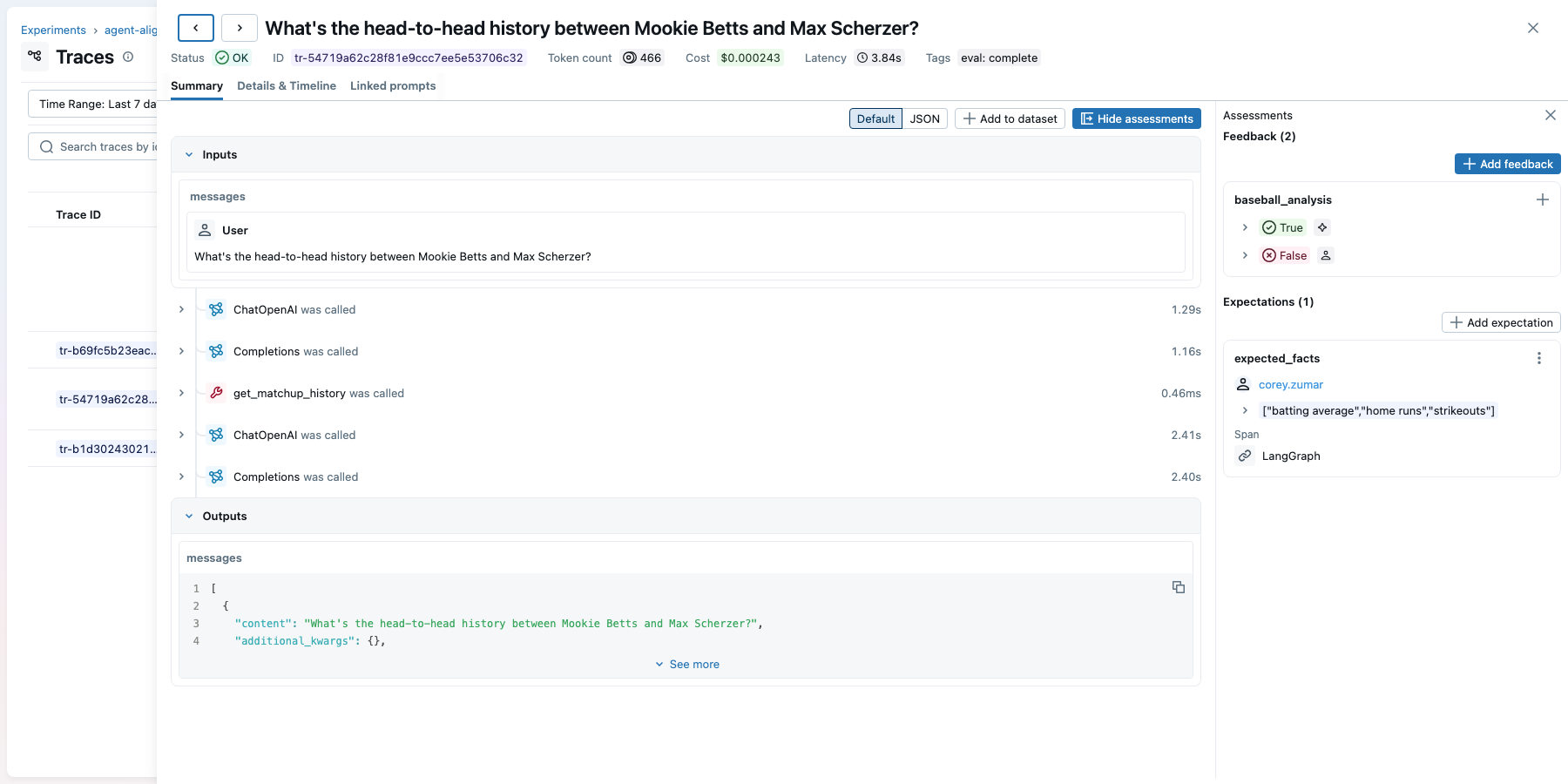
The judge from Step 2 will disagree with your experts on edge cases. To fix that, have domain experts review agent outputs and score them pass/fail. You can do this through the MLflow UI (experts look at traces and add feedback directly) or programmatically with mlflow.log_feedback(). Each piece of feedback is attached to a specific trace, so it's tied to the exact input, output, and tool calls the expert reviewed.
Once you have expert scores, MemAlign analyzes where the judge and experts disagree, then updates the judge with guidelines (rules like "fail responses that omit sample sizes") and examples (real scored traces the judge can reference). The result is a judge that scores more like your experts.
In production, your domain experts would review traces in the MLflow UI and add their scores directly. For this cookbook, we'll attach mock expert feedback programmatically to show how the alignment workflow works:
from mlflow.entities import AssessmentSource, AssessmentSourceType

# Pull the traces we tagged in Step 3
traces = mlflow.search_traces(
    locations=[experiment_id],
    filter_string="tag.eval = 'complete'",
    return_type="list",
)

# Mock expert feedback — in practice, domain experts would
# review traces in the MLflow UI and score them directly.
expert_scores = {
    traces[0].info.trace_id: (
        True, "Good tool usage and clear recommendation"
    ),
    traces[1].info.trace_id: (
        False, "Missing sample size context"
    ),
}

# log_feedback attaches each expert score directly to the
# trace, so the judge alignment can compare expert vs judge
for trace_id, (passed, comment) in expert_scores.items():
    mlflow.log_feedback(
        trace_id=trace_id,
        name="baseball_analysis",
        value=passed,
        source=AssessmentSource(
            source_type=AssessmentSourceType.HUMAN,
            source_id="expert@example.com",
        ),
        rationale=comment,
    )
Clicking into a trace in the MLflow UI shows the full execution (inputs, tool calls, outputs) alongside the assessments panel where both judge scores and expert feedback are visible:
Now align the judge:
from mlflow.genai.judges.optimizers import MemAlignOptimizer
from mlflow.genai.scorers import get_scorer

optimizer = MemAlignOptimizer(
    reflection_lm="openai:/gpt-5.4",
    retrieval_k=3,
    embedding_model="openai:/text-embedding-3-small",
)

# Load the traces that have both judge scores and expert scores
labeled_traces = mlflow.search_traces(
    locations=[experiment_id],
    filter_string="tag.eval = 'complete'",
    return_type="list",
)

# align() compares the judge's scores to the expert scores,
# finds the disagreements, and updates the judge to match
aligned_judge = get_scorer(name="baseball_analysis").align(
    traces=labeled_traces,
    optimizer=optimizer,
)
You can inspect what MemAlign learned, then save the aligned judge back to the experiment:
# See the guidelines MemAlign extracted from expert feedback
for mem in aligned_judge._semantic_memory:
    print(f"Guideline: {mem.guideline_text}")

from mlflow.genai.scorers import ScorerSamplingConfig

# Save the aligned judge so it persists across sessions
aligned_judge.update(
    experiment_id=experiment_id,
    sampling_config=ScorerSamplingConfig(sample_rate=0.0),
)
Step 5: Optimize the System Prompt
Now that the judge matches your experts, you can use it as the objective function for prompt optimization. optimize_prompts takes the current prompt, tries variations (adding instructions, rephrasing, reorganizing), scores each candidate with the aligned judge against your eval dataset, and iterates toward higher pass rates. Each prompt version is registered in MLflow so you get full history.
from mlflow.genai.optimize import GepaPromptOptimizer

# Load the baseline prompt from the registry
seed_prompt = mlflow.genai.load_prompt(
    "prompts:/baseball-agent-prompt/1"
)


def predict_with_prompt(question: str) -> str:
    result = agent.invoke(
        {"messages": [{"role": "user", "content": question}]}
    )
    return result["messages"][-1].content
# The optimizer will try up to 30 prompt variations,
# scoring each one with the aligned judge
result = mlflow.genai.optimize_prompts(
    predict_fn=predict_with_prompt,
    train_data=eval_data,
    prompt_uris=[seed_prompt.uri],
    optimizer=GepaPromptOptimizer(
        reflection_model="openai:/gpt-5.4",
        max_metric_calls=30,
        display_progress_bar=True,
    ),
    scorers=[aligned_judge],
)

print(f"Initial score: {result.initial_eval_score:.2f}")
print(f"Final score:   {result.final_eval_score:.2f}")
Register the best prompt the optimizer found and promote it to production:
# Register as a new version of the same prompt
optimized_prompt = mlflow.genai.register_prompt(
    name="baseball-agent-prompt",
    template=result.optimized_prompts[0].template,
    commit_message=(
        f"GEPA optimized: {result.initial_eval_score:.2f} "
        f"-> {result.final_eval_score:.2f}"
    ),
)

# Move the "production" alias to the new version.
# Any code that loads "prompts:/baseball-agent-prompt@production"
# will now get the optimized prompt.
mlflow.genai.set_prompt_alias(
    name="baseball-agent-prompt",
    alias="production",
    version=optimized_prompt.version,
)
print(f"Promoted v{optimized_prompt.version} to @production")
Step 6: Compare the Baseline and Optimized Prompts
Finally, run both agents against held-out questions (ones not used during optimization) to confirm the improvement is real and not just overfitting to the training set. MLflow logs both evaluation runs to the same experiment, so you can compare them side by side in the UI.
# Questions the optimizer has never seen
held_out_data = [
    {
        "inputs": {
            "question": (
                "How should a left-handed batter approach "
                "a sinker-slider pitcher in late innings?"
            )
        },
    },
    {
        "inputs": {
            "question": (
                "Compare the pitch tunneling effectiveness "
                "of the top 3 closers in the AL East."
            )
        },
    },
    # 15-25 more held-out questions
]


def baseline_predict(question: str) -> str:
    result = agent.invoke(
        {"messages": [{"role": "user", "content": question}]}
    )
    return result["messages"][-1].content


# Rebuild agent with the optimized prompt from the registry
optimized_agent = create_react_agent(
    model=llm,
    tools=tools,
    prompt=mlflow.genai.load_prompt(
        "prompts:/baseball-agent-prompt@production"
    ).format(),
)


def optimized_predict(question: str) -> str:
    result = optimized_agent.invoke(
        {"messages": [{"role": "user", "content": question}]}
    )
    return result["messages"][-1].content


# Evaluate both agents with the same judge and dataset
baseline_eval = mlflow.genai.evaluate(
    data=held_out_data,
    predict_fn=baseline_predict,
    scorers=[aligned_judge],
)
optimized_eval = mlflow.genai.evaluate(
    data=held_out_data,
    predict_fn=optimized_predict,
    scorers=[aligned_judge],
)

import pandas as pd

comparison = pd.DataFrame({
    "agent": ["baseline", "optimized"],
    "pass_rate": [
        baseline_eval.metrics["baseball_analysis/pass_rate"],
        optimized_eval.metrics["baseball_analysis/pass_rate"],
    ],
})
print(comparison.to_string(index=False))
#    agent  pass_rate
# baseline       0.40
# optimized      0.85
In the MLflow UI, the Evaluation Runs view shows both runs side by side. You can click each run to inspect its traces and see green (pass) and red (fail) pills in the assessments column:
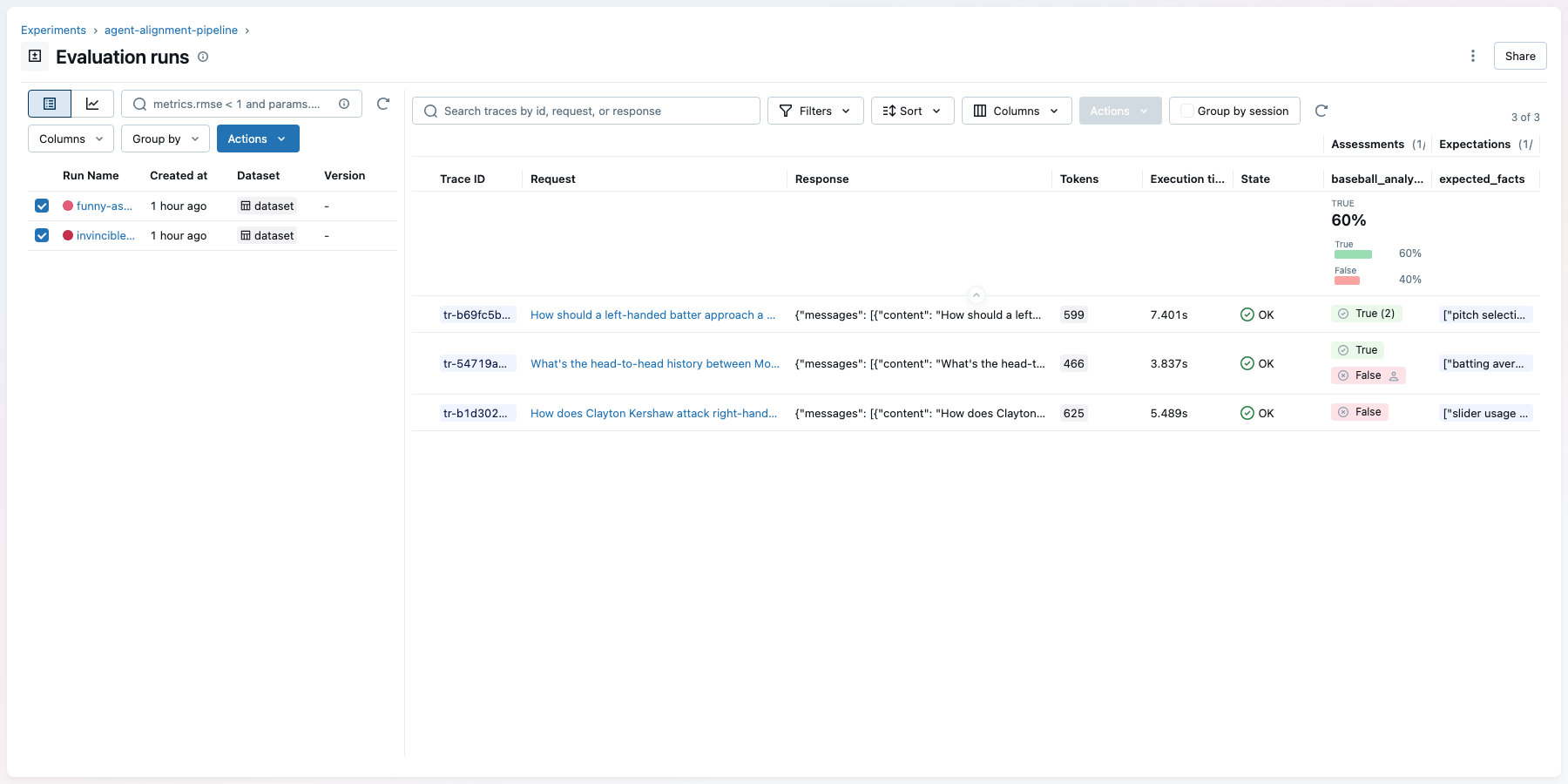
The optimized prompt more than doubles the pass rate on questions the optimizer never saw, from 40% to 85%. Because these are held-out questions, the improvement reflects genuine generalization, not overfitting to the training set. The aligned judge, calibrated to your experts in Step 4, is what makes this comparison trustworthy: you're measuring against the same standard your team would apply manually.
API Reference
| Stage | MLflow API | What It Does |
|---|---|---|
| Prompt versioning | register_prompt, set_prompt_alias | Version and alias system prompts |
| Custom judge | make_judge | Domain-specific pass/fail evaluation |
| Evaluation | mlflow.genai.evaluate | Score agent with judge |
| Expert feedback | mlflow.log_feedback | Attach human scores to traces |
| Judge alignment | MemAlignOptimizer, judge.align() | Calibrate judge to expert preferences |
| Prompt optimization | optimize_prompts, GepaPromptOptimizer | Search for better system prompts |
Next Steps
- MLflow Evaluation docs for more on MLflow evaluation
- Prompt Registry docs for more on prompt versioning and aliases