Tracing Mistral
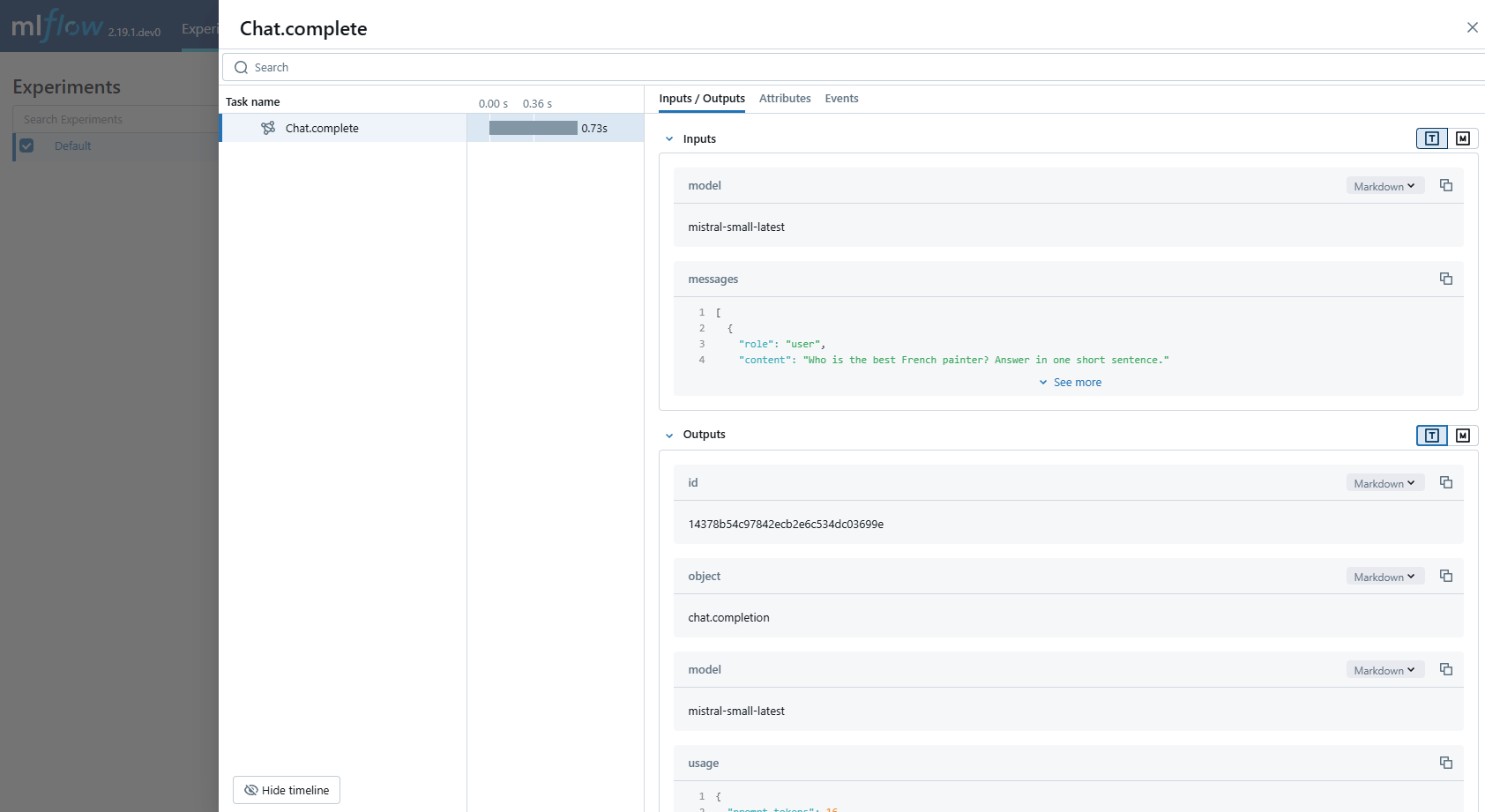
MLflow Tracing ensures observability for your interactions with Mistral AI models.
When Mistral auto-tracing is enabled by calling the mlflow.mistral.autolog() function,
usage of the Mistral SDK will automatically record generated traces during interactive development.
MLflow automatically captures the following information about Mistral calls:
- Prompts and completion responses
- Latencies
- Model name
- Token usage (input, output, and total tokens)
- Additional metadata such as
temperature,max_tokens, if specified - Function calling if returned in the response
- Any exception if raised
Getting Started
Install Dependencies
pip install 'mlflow[genai]' mistralai
Start MLflow Server
- Local (pip)
- Local (docker)
If you have a local Python environment >= 3.10, you can start the MLflow server locally using the mlflow CLI command.
mlflow server
MLflow also provides a Docker Compose file to start a local MLflow server with a postgres database and a minio server.
git clone --depth 1 --filter=blob:none --sparse https://github.com/mlflow/mlflow.git
cd mlflow
git sparse-checkout set docker-compose
cd docker-compose
cp .env.dev.example .env
docker compose up -d
Refer to the instruction for more details, e.g., overriding the default environment variables.
Enable Tracing and Make API Calls
Enable tracing with mlflow.mistral.autolog() and make API calls as usual.
import os
from mistralai import Mistral
import mlflow

# Enable auto-tracing for Mistral
mlflow.mistral.autolog()

# Set a tracking URI and an experiment
mlflow.set_tracking_uri("http://localhost:5000")
mlflow.set_experiment("Mistral")

# Configure your API key
client = Mistral(api_key=os.environ["MISTRAL_API_KEY"])

# Use the chat complete method to create new chat
chat_response = client.chat.complete(
    model="mistral-small-latest",
    messages=[
        {
            "role": "user",
            "content": "Who is the best French painter? Answer in one short sentence.",
        },
    ],
)
print(chat_response.choices[0].message)
View Traces in MLflow UI
Browse to the MLflow UI at http://localhost:5000 (or your MLflow server URL) and you should see the traces for the Mistral API calls.
Supported APIs
MLflow supports automatic tracing for the following Mistral APIs:
| Chat | Function Calling | Streaming | Async | Image | Embeddings | Agents |
|---|---|---|---|---|---|---|
| ✅ | ✅ | - | ✅ (*1) | - | - | - |
(*1) Async support was added in MLflow 3.5.0.
To request support for additional APIs, please open a feature request on GitHub.
Examples
Basic Example
import os

from mistralai import Mistral

import mlflow

# Turn on auto tracing for Mistral AI by calling mlflow.mistral.autolog()
mlflow.mistral.autolog()

# Configure your API key.
client = Mistral(api_key=os.environ["MISTRAL_API_KEY"])

# Use the chat complete method to create new chat.
chat_response = client.chat.complete(
    model="mistral-small-latest",
    messages=[
        {
            "role": "user",
            "content": "Who is the best French painter? Answer in one short sentence.",
        },
    ],
)
print(chat_response.choices[0].message)
Tracking Token Usage and Cost
MLflow automatically tracks token usage and cost for Mistral. The token usage for each LLM call will be logged in each Trace/Span and the aggregated cost and time trend are displayed in the built-in dashboard. See the Token Usage and Cost Tracking documentation for details on accessing this information programmatically.
Disable auto-tracing
Auto tracing for Mistral can be disabled globally by calling mlflow.mistral.autolog(disable=True) or mlflow.autolog(disable=True).